


AmongLock: AmongUs Lock Screen
4.64.03K Reviews
App Specs
- Version
- 2.3.4
- Updated On
- License
- Free
- Downloads
- 5,000,000+
- Developer
- ZipoApps
- Categories
- Personalization
- Platform
- Android
Screenshots
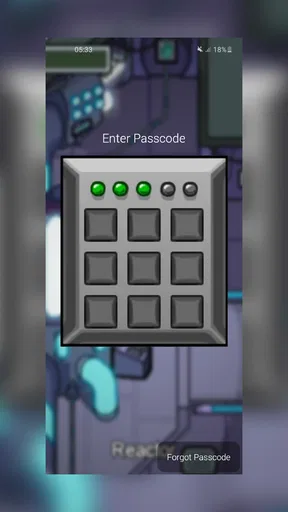
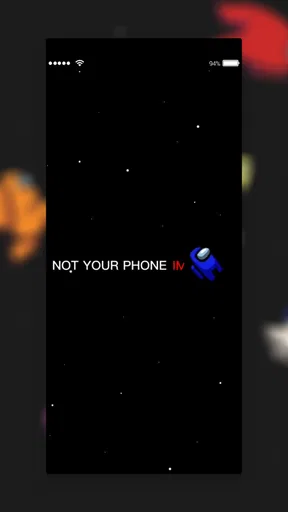
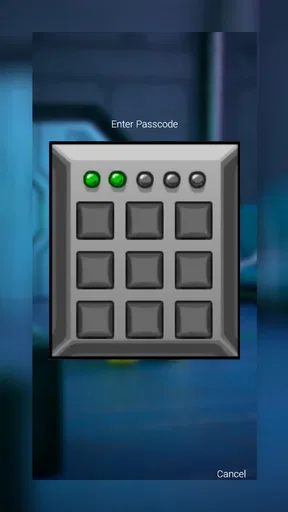
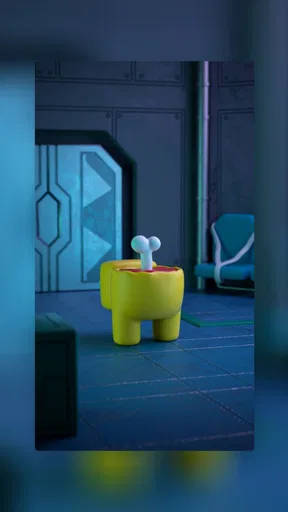
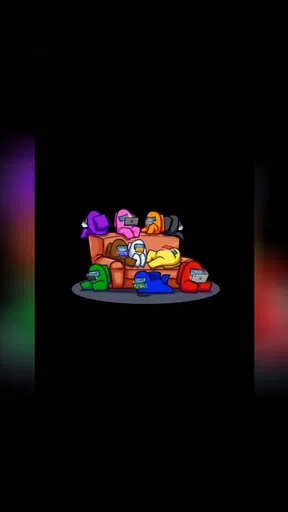
 Analysis by AppCompare
I like phone personalization most when it changes the moment I see my screen, not just an icon buried in a menu. AmongLock: AmongUs Lock Screen is built around that simple idea: it puts an Among Us-inspired look on the screen I encounter whenever I pick up my phone. That makes it a focused choice for fans who want their device to feel playful and familiar, rather than another general wallpaper or theme utility.
A themed screen, not a full phone makeover
The central appeal is its lock-screen styling. Instead of changing every part of Android, the app gives the phone a distinct Among Us character at a point I see repeatedly throughout the day. That narrower focus is useful if I want a recognizable theme without committing to a complete launcher change or reorganizing my home screen.
It is also worth setting expectations before installing it. This is a personalization app from ZipoApps, not the Among Us game itself, so I would choose it for the look and lock-screen experience rather than for multiplayer rounds or access to game content. The free download makes it easy to try, while in-app purchases range from $0.99 to $149.99 per item, so I would check any purchase details carefully before confirming one.
Setting Up the Among Us Vibe
First things first, getting AmongLock up and running is a breeze. After downloading and installing the app, you’re greeted with a straightforward setup process. You’ll find options to customize your lock screen with different crewmate skins and backgrounds that mirror the game’s iconic style. It’s like stepping right into the Skeld every time you unlock your phone!
The app offers a plethora of customization options. You can choose from various crewmate colors and even add some impostor flair with different hats and pets. It’s a fun way to personalize your phone and show off your love for the game. I found myself spending way more time than I’d like to admit, tweaking my lock screen to perfection.
What the theme changes in an ordinary day
The best way to judge a lock-screen theme is to picture how often I actually see it. If I check a message while waiting for coffee, glance at the time before leaving home, or pick up my phone during a break, the artwork is part of those small moments. A familiar crewmate can make the device feel more personal without asking me to change how I use my apps.
That same visibility is a trade-off. A bold game aesthetic may be charming at home but less suited to a formal workplace, a shared device, or someone who prefers a quiet screen. I would choose a design I enjoy seeing repeatedly, not just one that looks amusing for a few minutes. If I tend to change my wallpaper often, the appeal here is having a themed lock screen to revisit; it may not satisfy someone looking for broad, system-wide customization.
Worth Reading Before You Choose

EA SPORTS FC Mobile 26 Is a Bigger Football Game, but It Takes Time

Flipboard Shows What News Apps Must Do Beyond the Feed

Switching to Android Auto Means Rethinking Your Driving Routine

Google Calendar Makes a Crowded Week Easier to Manage

Ludo King Makes the Most of the Minutes Between Plans

Baby Panda World Brings Quick Play to Modern Phones, but Its Game Library Feels Busy
Security Meets Fun
But it’s not all about the aesthetics. AmongLock adds a layer of security by turning your lock screen into a mini-game. To unlock your phone, you’ll need to complete tasks or solve puzzles, reminiscent of those in the actual game. It’s a clever twist that makes unlocking your phone a bit more engaging.
While some might find these tasks slightly cumbersome, I personally enjoyed the added interaction. It’s like having a mini Among Us session every time you need to check a message. Plus, it’s a great way to deter any unwanted snoopers, since they’d need to know the ins and outs of the game to get past the lock screen.
When a playful unlock flow is practical
I see the most value in the interactive idea when I am not rushing: for example, settling in at home and checking my phone between other tasks. In that setting, a small moment of interaction can feel like part of the theme rather than an obstacle. The calculation changes when I need to read a time-sensitive message, use my phone briefly with one hand, or unlock it repeatedly while moving through a busy day. A decorative lock screen is nearly effortless; an extra step is something I notice every time.
That is why I would treat this as a style-first experiment, not a replacement for a dependable everyday unlock method. Before making it my regular setup, I would try it during an ordinary routine and see whether the interaction remains fun after the novelty wears off. If it slows down a habit I rely on, I would favor a standard lock screen and keep the Among Us look in wallpaper or other less disruptive personalization instead.
Performance and Usability
In terms of performance, the app runs smoothly without noticeable lag. It integrates well with most devices, and I didn’t encounter any significant issues during my time using it. The interface is user-friendly, and navigating through the customization options is intuitive.
There are occasional ads, but they’re not too intrusive, which is a relief. It’s a small price to pay for a free app that adds so much personality to your phone. If you’re a die-hard fan of Among Us, you’ll likely find the ads a minor inconvenience in exchange for the immersive experience.
Choosing a setup that stays usable
My practical tip is to keep the design legible before trying to make it elaborate. A busy background and highly decorated character may look lively in a preview but can compete with the information I want to notice at a glance. I would begin with one visual choice at a time, then use the phone normally for a day before adding more decoration. That makes it easier to tell whether the screen is genuinely comfortable or simply entertaining while I am customizing it.
It also helps to separate appearance from access. If a theme is fun but its unlock interaction feels inconvenient, that does not mean the artwork has failed; it means the interaction is not a good match for my routine. Conversely, someone who values a playful unlock more than the fastest possible glance may be happy with the compromise. I would decide based on the moments I use my phone most, rather than on the setup screen alone.
A Few Quirks
Now, no app is perfect, and AmongLock has its quirks. For one, some users have reported issues with battery consumption. While I didn’t notice a drastic drain, it’s something to keep in mind if you’re concerned about battery life.
Additionally, the app occasionally struggles with fingerprint and facial recognition systems. It’s not a dealbreaker, but if you rely heavily on biometric unlocking, you might find yourself switching to a PIN more often than you’d like. The developers are pretty responsive, though, and updates are frequent, so I expect these minor issues will be ironed out soon.
How it compares with simpler alternatives
Compared with choosing a static wallpaper, a dedicated lock-screen app has a more immediate presence: I encounter the theme at the point where I unlock the phone, rather than only after reaching the home screen. That can make the character styling feel more integrated with daily use. The other side is that a static image is usually the simpler choice for someone who wants a visual change without adding an app-specific unlock experience.
It is also a different proposition from a full launcher or broad customization suite. Those tools are better for people who want to reshape icons, layouts, and the overall home-screen feel. I would not install this expecting that kind of makeover. Its appeal is more specific: an Among Us-flavored lock screen for someone who wants the theme right at the device’s entrance.
Who should try it, and who may prefer another option
I would recommend trying it if you are an Among Us fan, enjoy changing your phone’s appearance, and do not mind testing a more playful route to the lock screen. It is especially appealing if you like a theme you can see in short bursts throughout the day, rather than a game you have to set aside time to play. A parent or fan choosing a lighthearted look for a personal device may also appreciate the approachable style; the app is rated for Everyone.
I would be more cautious if biometrics are central to your routine, you need instant access throughout the day, or battery use is a particular concern. In those cases, a standard lock screen with a themed wallpaper may be the more comfortable compromise. I would also keep purchases deliberate: the app is free to install, but optional in-app items have a wide price range, so there is no reason to assume every customization requires spending.
For context, the app has a 4.6 average from around 116,000 ratings and has been installed over five million times. It was released on November 13, 2020; version 2.3.4 supports Android 5.0 and later. Those figures suggest a well-established option, but they do not answer the personal question that matters most: whether the added lock-screen interaction suits your own habits. I would test that fit rather than treating popularity as a guarantee of convenience.
Final Thoughts
Overall, AmongLock: AmongUs Lock Screen offers a delightful blend of fun and functionality. It’s perfect for those who want to carry a piece of their favorite game with them everywhere. The app’s playful take on security makes it stand out from standard lock screen apps, and the customization options are a blast to explore.
If you’re an Among Us enthusiast looking to spice up your phone with a touch of space mystery, this app is definitely worth a try. Just be prepared for your friends to ask how they can get their own crewmate-infused lock screen!
Ready to give it a shot? You can find AmongLock on both Android and iOS stores. Happy crewmating!
Pros
- Engaging lock screen interface.
- Customizable Among Us themes.
- Easy setup and navigation.
- Frequent updates with new content.
- Lightweight and fast performance.
Cons
- Limited free customization options.
- Ads can be intrusive at times.
- Requires constant internet connection.
- Battery consumption may increase.
- Some features require in-app purchases.
FAQs for AmongLock: AmongUs Lock Screen
What is AmongLock: AmongUs Lock Screen?
AmongLock: AmongUs Lock Screen is a unique customization app that transforms your phone's lock screen into a fun and interactive Among Us-themed interface. It offers a variety of skins and themes inspired by the popular game Among Us, allowing fans to personalize their devices with familiar characters and settings.
How does AmongLock enhance my phone's security?
AmongLock provides a creative way to secure your device by incorporating a lock screen inspired by Among Us. While it adds a fun aesthetic, it also maintains standard security features such as PIN, pattern, or password protection. Users can enjoy the Among Us theme without compromising their device’s security.
Is AmongLock user-friendly for all age groups?
Yes, AmongLock is designed to be user-friendly and accessible for all age groups. The app features an intuitive interface that allows users to easily navigate through customization options. Children and adults alike can enjoy personalizing their lock screens with Among Us themes, making it fun for everyone.
Are there any in-app purchases or ads in AmongLock?
AmongLock is free to download, but it may include in-app purchases for additional themes or features. Users might encounter ads within the app, but these are typically non-intrusive. The option to remove ads or unlock premium content may be available through purchases.
What devices are compatible with AmongLock: AmongUs Lock Screen?
AmongLock is compatible with a wide range of Android devices. Users should ensure their device meets the app’s minimum operating system requirements to function correctly. Compatibility with iOS devices may vary, so it’s advisable to check the app store for specific information on supported devices.


